One browser view
LiDAR, GIS and drone datasets can be opened as 2D and 3D dashboards.

Geospatial Visualisation & Analytics
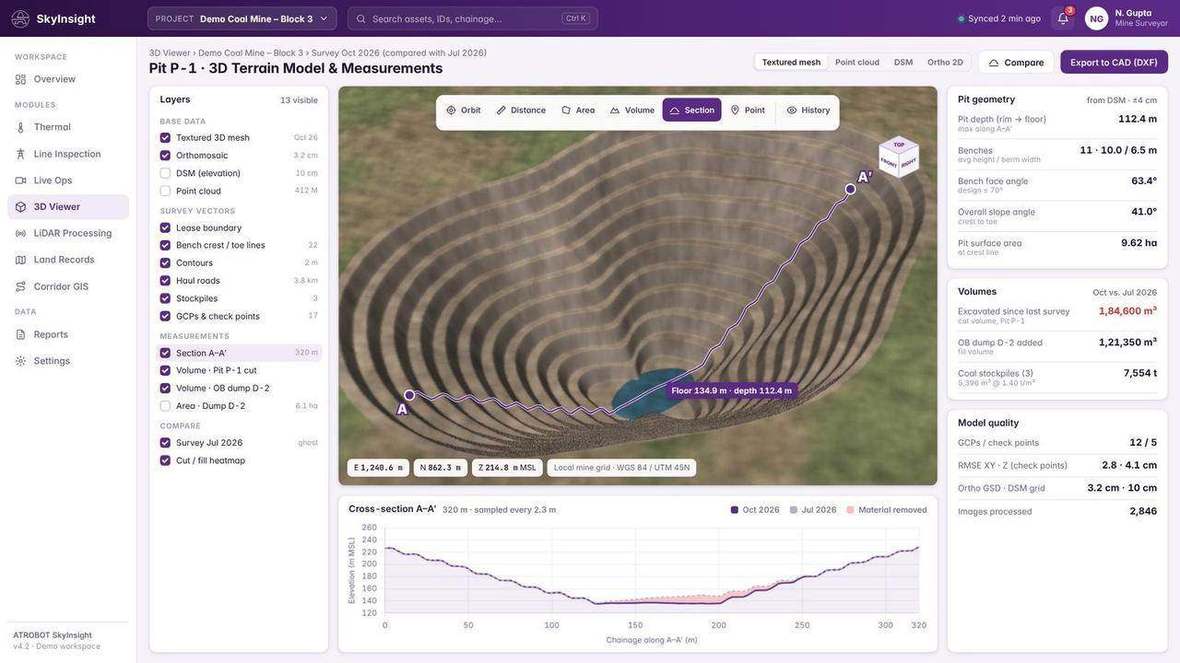
Cloud software that turns heavy LiDAR, GIS and drone datasets into interactive, decision-ready dashboards, with 2D and 3D viewing in the browser. It accepts LAS and LAZ, GeoTIFF, SHP, GDB, GeoJSON, CAD and BIM, and supports feature extraction, volume and area, slope and terrain, cross-sections and digital twin modelling.
Problem
The platform turns those datasets into interactive dashboards, so the same record can be viewed in 2D and 3D and checked with data-validation workflows.
A project can move from the captured files to a checked view, then to volume, slope, cross-sections and a shared workspace. Surveillance and live-operations monitoring sit on their own platform.
Formats the visualisation platform accepts.
Workflow
LiDAR, GIS and drone datasets are processed and checked, then opened as a 2D and 3D view. Analysis and sharing sit on that workspace, with role-based access. The outcome is a shared view of the survey record.
The workspace accepts LAS and LAZ, GeoTIFF, SHP, GDB, GeoJSON, CAD and BIM.
LAS and LAZ processing, and data-validation workflows.
2D and 3D viewing in the browser, including orthophoto viewing, contours and the point cloud.
Feature extraction, asset classification, volume and area, slope and terrain, cross-sections, digital twin modelling, and AI-assisted defect detection.
Role-based access, audit trails, and a collaborative cloud GIS workspace.
Views from the visualisation workspace.
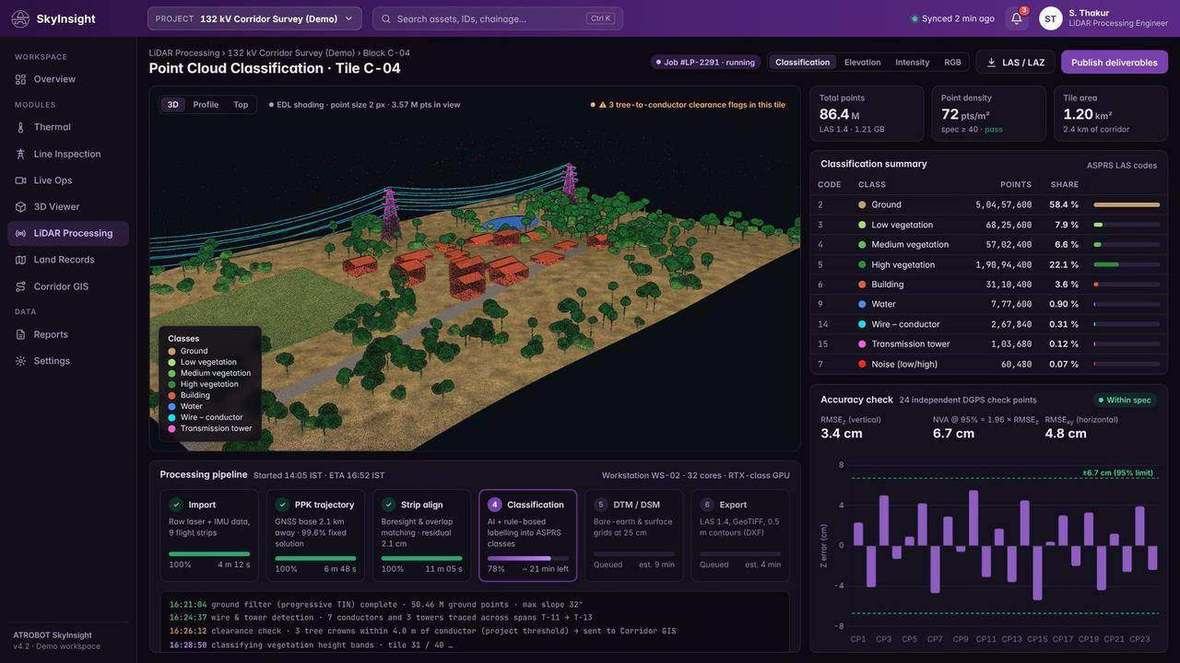
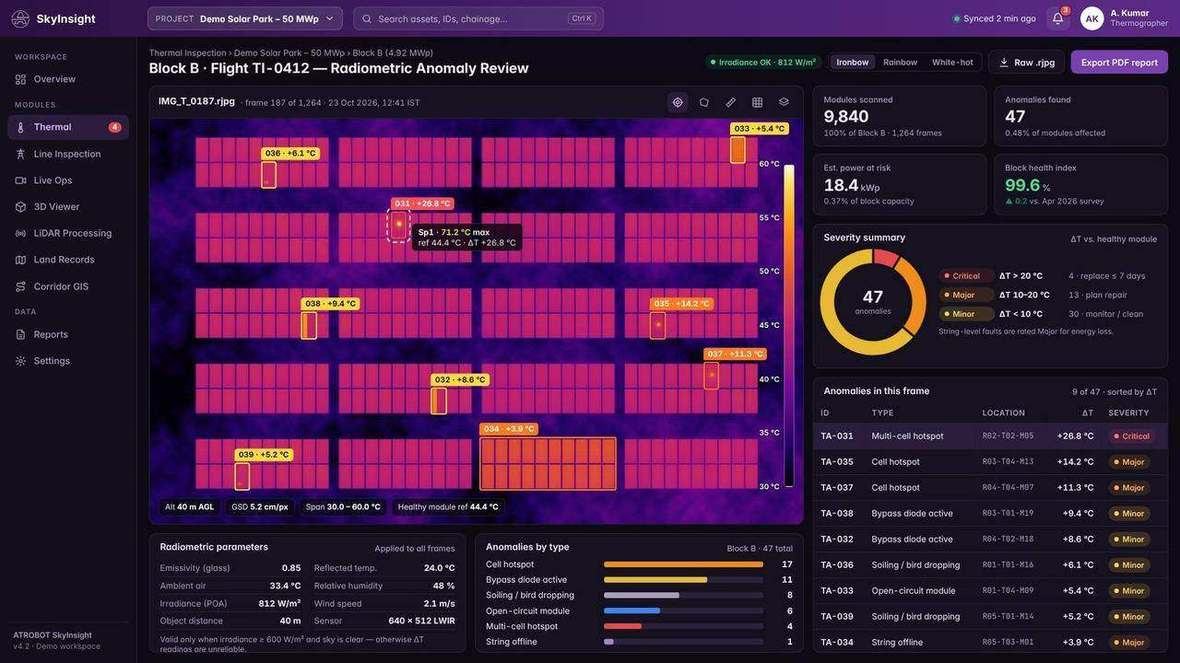
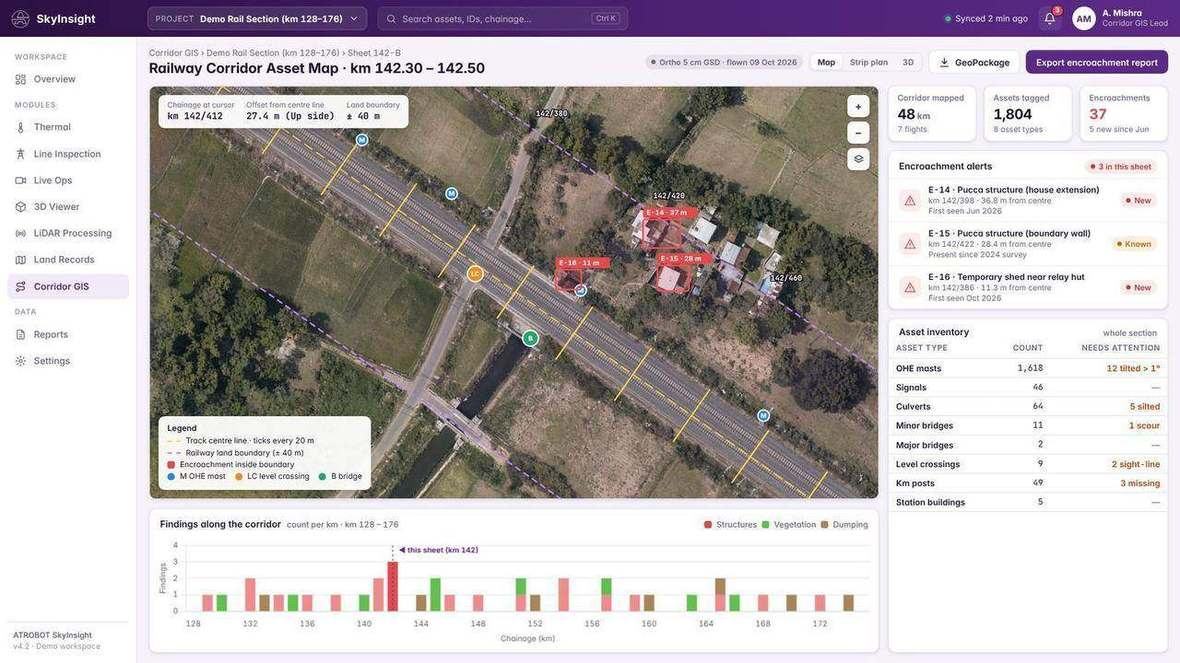
LiDAR, GIS and drone datasets can be opened as 2D and 3D dashboards.
Data-validation workflows, audit trails and role-based access sit with that view.
Analysis includes features, assets, volume, area, slope, terrain, cross-sections, a digital twin and defect detection.
Designed for mining, mapping authorities, ports and railways, urban development and infrastructure companies.
Orthophotos, contours, point clouds, volume and area, slope and terrain, cross-sections, and CAD and BIM are survey products this workspace can show.
FAQ
LAS and LAZ, GeoTIFF, SHP, GDB, GeoJSON, CAD and BIM.
Feature extraction, asset classification, volume and area, slope and terrain, cross-section profiling, digital twin modelling, and AI-assisted defect detection.
Mining, mapping authorities, ports and railways, urban development and infrastructure companies.
Request a SaaS Demo. The enquiry goes to business@atrobot.in. You can also call +91-9319044881.
Next step
The enquiry goes to business@atrobot.in. You can also call +91-9319044881.